SIM001 › The ground station › Ground control station
Map tools
When you drag the tactical map, it pans. PLAN and GOTO change what a click on the map does. With PLAN, a click adds a waypoint to the plan. With GOTO, a click sends the plane to that point. Press the same tool again to go back to panning.
PLAN picks the planning tool
If the map tool is not PLAN, press PLAN. The PLAN button lights up.
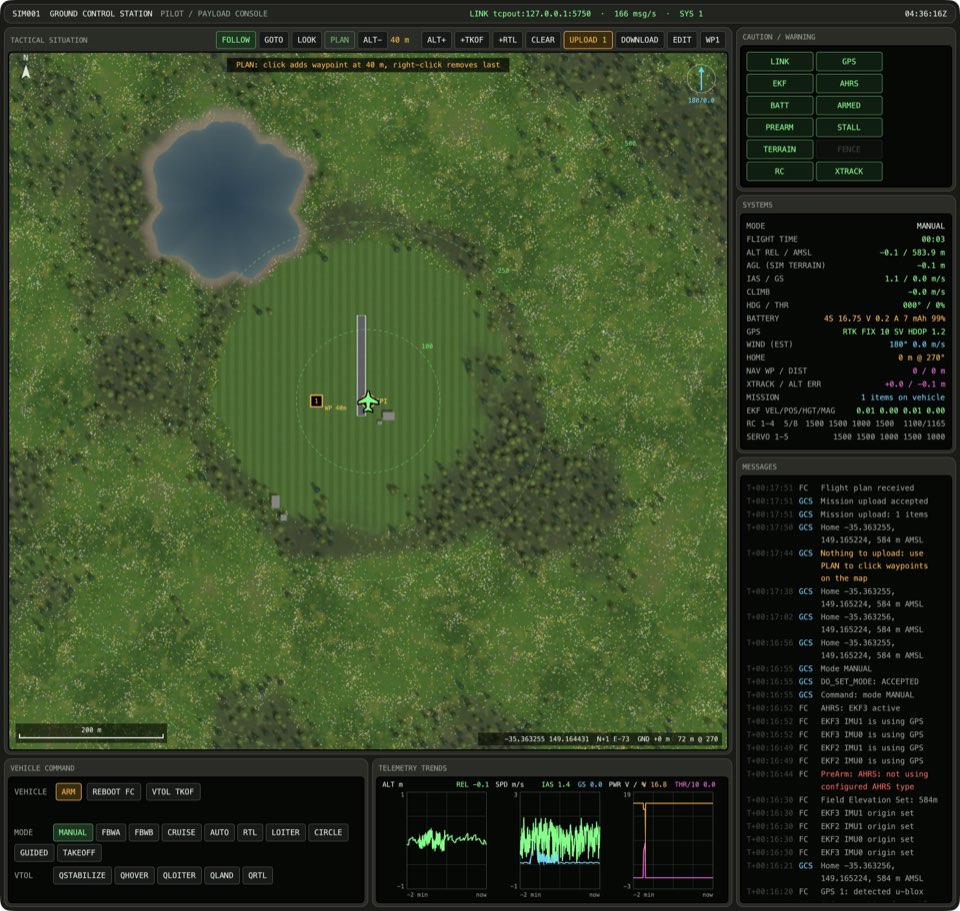
See it in From plan to flight.
How this is tested verified
Given the map tool is not PLAN
When the operator toggles the planning tool
Then the map tool is PLAN
PLAN again goes back to panning
If the map tool is PLAN, press PLAN. The map is back to panning.

How this is tested verified
Given the map tool is PLAN
When the operator toggles the planning tool
Then the map tool is pan
GOTO picks the fly-to tool
If the map tool is not GOTO, press GOTO. The GOTO button lights up.
How this is tested verified
Given the map tool is not GOTO
When the operator toggles the fly-to tool
Then the map tool is GOTO
A GOTO click flies the plane there
The plane flies to the point at its current altitude, and then it circles the point in GUIDED. The map goes back to panning.
If the map tool is GOTO and the vehicle is armed, click the map. The GUIDED button lights up. The map is back to panning.
How this is tested verified
Given the map tool is GOTO
  And the vehicle is armed
When the operator clicks the map
Then the autopilot mode is GUIDED
  And the map tool is pan