SIM001 › Flying the VTOL › Flying a VTOL
Flying a VTOL
This tutorial shows a full VTOL flight. You take off straight up, and the plane hovers over the field. You switch to forward flight, and the plane tilts its wing motors forward and flies on its wing. Then you switch back to a hover, and you land straight down. The plane keeps its height through both transitions.
Press ARM. Then press CONFIRM ARM in three seconds or less.
The ARMED annunciator lights up.
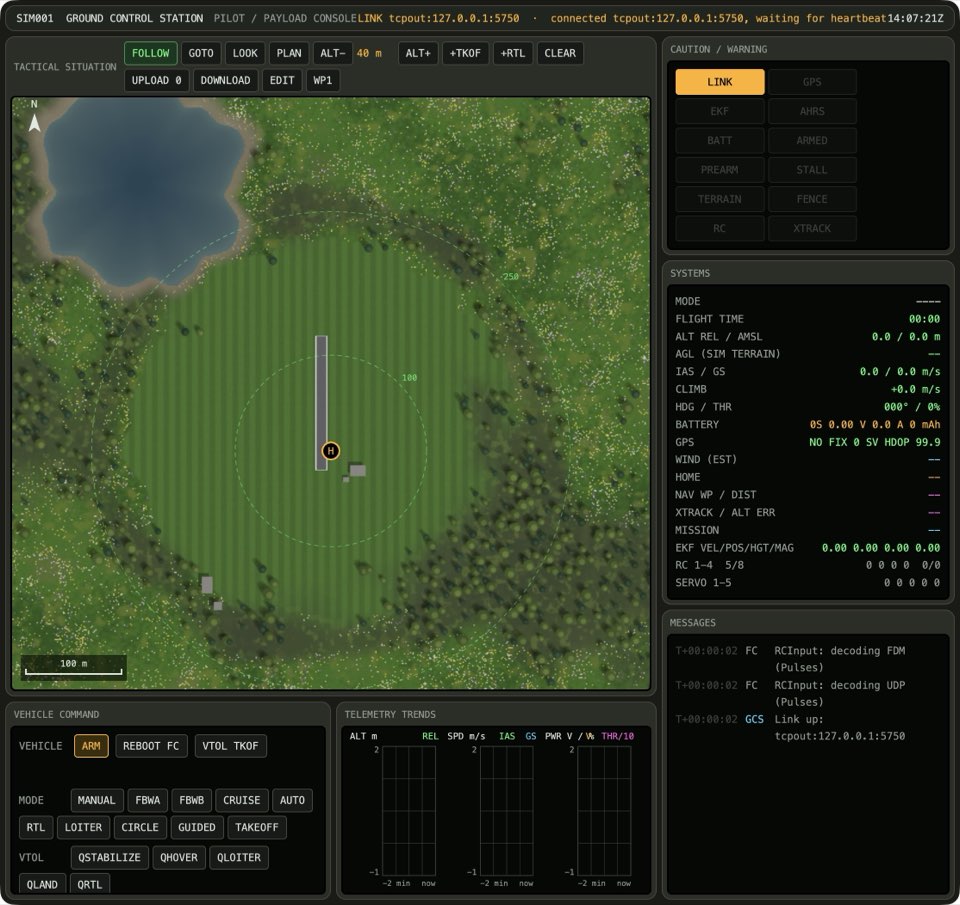
Press VTOL TKOF. The plane climbs straight up to the plan altitude.
The plane stays at one place in the air, and the speed in the PFD is near 0.

Screenshot to come. Press CRUISE. The wing motors tilt forward and the plane speeds up.
The speed in the PFD is above 11 m/s, and the plane flies forward.
Screenshot to come. Press QLOITER. The plane slows down and the wing motors tilt up.
The plane stays at one place in the air, and the speed in the PFD is near 0.
Screenshot to come. Press QLAND. The plane comes down straight and stops its motors.
The plane lands and stops on the ground. The ARMED annunciator goes out.
Screenshot to come.
Learn more
How this is tested failed
This tutorial is also an acceptance test. Its report has every step, check and screenshot from the last run.
The user story: As a pilot, I want to take off straight up, fly forward on the wing, hover again and land straight down, so that I can fly a long way from a small place.
When the operator arms the vehicle
Then the vehicle is armed
When the operator takes off vertically
Then the flight is hovering
When the operator switches to forward flight
Then the flight is cruising
When the operator switches to hover
Then the flight is hovering
When the operator lands vertically
Then the plane is on the ground
  And the vehicle is disarmed