SIM001 › The ground station › Ground control station
Vehicle commands
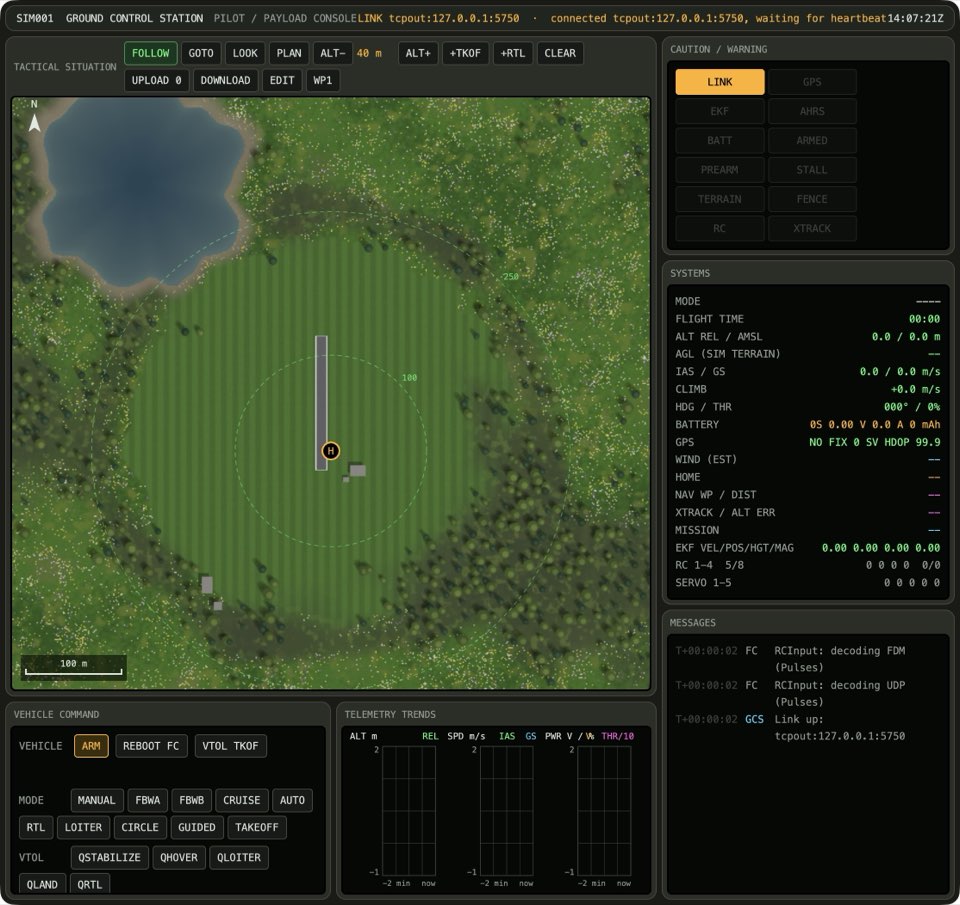
ARM needs a second press to confirm it. For a plane, home is the point where you arm it, and RTL brings the plane back to that point. The mode buttons change the flight mode of ArduPilot. If the vehicle has no mission, AUTO asks you to confirm, because the plane would go to RTL immediately.
Arming sets home
If the button shows ARM: NOT READY, wait. ArduPilot does its pre-arm checks first, and the button shows ARM when they pass.
If the vehicle is disarmed and the link is connected, press ARM. Then press CONFIRM ARM in three seconds or less. The ARMED annunciator lights up. The map marks home where the plane was armed.
See it in Flying a VTOL, From plan to flight.
How this is tested verified
Given the vehicle is disarmed
  And the link is connected
When the operator arms the vehicle
Then the vehicle is armed
  And the home position is set
DISARM disarms
If the vehicle is armed, press DISARM. The ARMED annunciator goes out.

How this is tested not supported yet
Given the vehicle is armed
When the operator disarms the vehicle
Then the vehicle is disarmed
AUTO flies the vehicle's mission
If the vehicle mission is not empty, press AUTO. The AUTO button lights up. Item 1 is the current item, which is magenta on the map.
See it in From plan to flight.
How this is tested not supported yet
Given the vehicle mission is not empty
When the operator switches to AUTO
Then the autopilot mode is AUTO
  And the vehicle's current item is 1
AUTO with no mission asks first
If you did not upload a mission, AUTO would go to RTL immediately. Thus the button changes to AUTO: NO MISSION?, and the MESSAGES screen tells you why. To change to AUTO, press the button again in four seconds or less.
If the vehicle mission is empty, press AUTO. The mode does not change, and the AUTO button shows AUTO: NO MISSION?.
How this is tested not supported yet
Given the vehicle mission is empty
When the operator switches to AUTO
Then the autopilot mode stays the same
AUTO twice goes anyway
If the vehicle mission is empty, press AUTO. The button shows AUTO: NO MISSION? for four seconds. In that time, press it again. The AUTO button lights up.
How this is tested not supported yet
Given the vehicle mission is empty
When the operator switches to AUTO anyway
Then the autopilot mode is AUTO
In AUTO, a throw starts the mission
With the physics of the sim, the takeoff waits for a hand launch. The HUD of the sim says "AUTO takeoff: throw it (SPACE or B)". The motors start after the throw.
If the autopilot mode is AUTO, the vehicle is armed and the plane is on the ground, click the sim window. Then press Space to throw the plane. The plane climbs and flies to the first waypoint.
See it in From plan to flight.
How this is tested not supported yet
Given the autopilot mode is AUTO
  And the vehicle is armed
  And the plane is on the ground
When the pilot throws the plane in the sim
Then the plane is flying the mission