SIM001 › Beyond the cockpit
The flight computer
The flight computer is a small computer that stands between the TX15 and ArduPilot. In the simulator it takes the place of the receiver and of the wiring in the plane. The TX15 sends the sticks and switches down a serial line. The flight computer turns them into the radio channels that ArduPilot reads.
The flight computer also sends the telemetry of ArduPilot back to the TX15 on the same line. The TX15 shows the flight mode, the battery and the bank on its screen. It also passes the MAVLink telemetry on to the ground station. The ground station gets no telemetry from any other place. The commands of the ground station go the same way in the other direction.
Flying a VTOL with the TX15 flies a whole flight this way, with the screen of the TX15 beside the console.
Start the simulator with --flight-computer PORT. The simulator then ignores the USB controller. Only the serial line moves the plane.
Tutorials
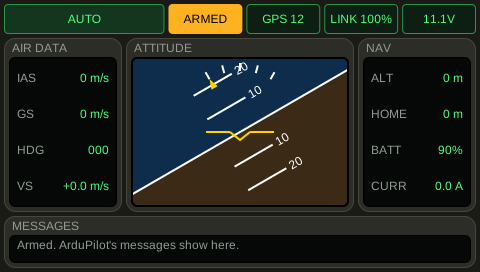 Fly and watch the screenYou connect the TX15 to the flight computer with a serial line. The sticks move the channels of the autopilot, and the screen of the TX15 shows what the plane does. You arm the plane, ArduPilot changes its mode, and the TX15 shows the new mode.
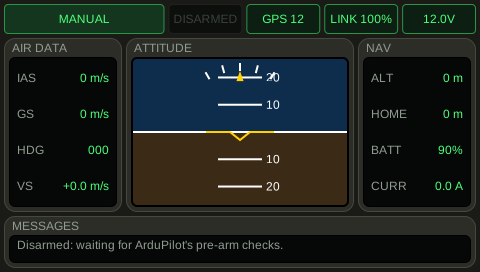 Full travel on the sticksYou connect the TX15 to the flight computer with a serial line. The sticks move the channels of the autopilot, and the screen of the TX15 shows what the plane does. You arm the plane, ArduPilot changes its mode, and the TX15 shows the new mode.
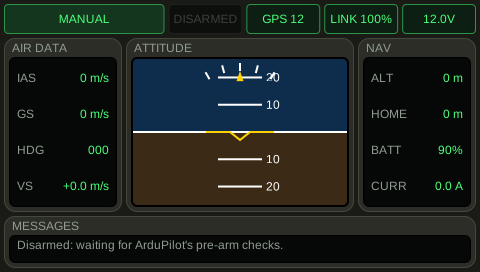 Sticks centredYou connect the TX15 to the flight computer with a serial line. The sticks move the channels of the autopilot, and the screen of the TX15 shows what the plane does. You arm the plane, ArduPilot changes its mode, and the TX15 shows the new mode.
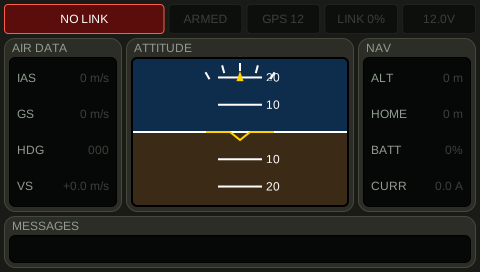 A damaged lineYou connect the TX15 to the flight computer with a serial line. The sticks move the channels of the autopilot, and the screen of the TX15 shows what the plane does. You arm the plane, ArduPilot changes its mode, and the TX15 shows the new mode.
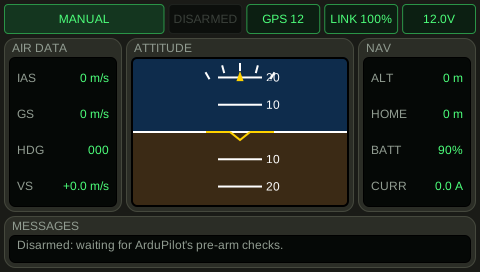 UnplugYou unplug the TX15 while the throttle is at half. The flight computer sets the throttle below the failsafe level of ArduPilot. You plug the TX15 in, and the plane flies again.
 Plug in againYou unplug the TX15 while the throttle is at half. The flight computer sets the throttle below the failsafe level of ArduPilot. You plug the TX15 in, and the plane flies again.
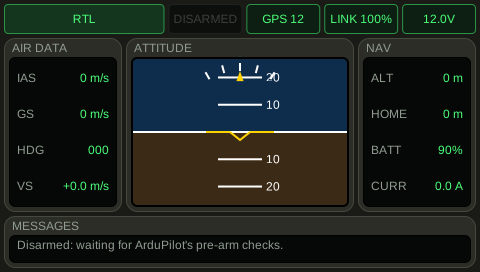 Command through the lineThe ground station sends a command. It goes up the serial line, and ArduPilot gets it. The TX15 shows the new mode.
 The line is narrowThe ground station sends a command. It goes up the serial line, and ArduPilot gets it. The TX15 shows the new mode.
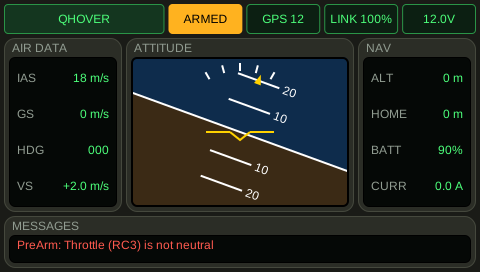 Reading the flight displayThe plane is armed in a left bank, flying at 18 m/s and climbing. A PreArm check has failed earlier. The screen shows all of it at once: the horizon is banked, the mode is big on the top left, and the message is on the bottom.
Topics
- Sticks to channels
- The flight computer reads the channels that the TX15 sends. It gives ArduPilot the same pulse widths that a receiver in the plane would give. A centred stick gives 1500 us. The ends of the stick give 1000 us and 2000 us.
- Losing the TX15
- If the serial line goes quiet, the flight computer does the same as a receiver that lost its link. It sets the throttle channel below the failsafe level of ArduPilot. ArduPilot then starts its failsafe.
- Telemetry on the TX15
- The flight computer sends the state of the plane back down the serial line. The TX15 shows it on its screen, as it does for any plane with an ExpressLRS receiver.
- The ground station gets the telemetry of the flight computer
- The ground station does not talk to ArduPilot. The MAVLink telemetry of ArduPilot goes to the flight computer. The flight computer sends it down the serial line to the TX15, and the TX15 passes it on. The link is narrow, so the flight computer cannot send more than the line carries. Its own frames for the TX15 go first.
- The flight display of the TX15
- The screen of the TX15 shows the flight in the layout of the ArduPilot telemetry script of Yaapu. On top are the flight mode (big, with ARMED or DISARMED beside it), the satellites, the link and the battery. In the middle is an artificial horizon that banks and pitches with the plane, with the airspeed, the ground speed and the heading on its left, and the height above home, the climb and the distance to home on its right. The battery has a bar. The last messages of ArduPilot are along the bottom: a PreArm check that fails, a new mode, a failsafe.